Showing posts with label facebook. Show all posts

How to Invite All your Facebook Friends With Single Click - TechZilla Firefox


Facebook, to know it's popularity do nothing, but just search on Google. 5000000000 results, now you get how much is influenced in the society. Facebook is #1 ranked social media site. It has over 500 million registered user across the world with thousands of new daily sign up in their data base.
However, Facebook may come up with huge fake accounts. People take it as a fun having more than one personal profile. But now Facebook team is in a research for launching special software and apps that determine fake identities that might cause users distraction. 

Invite-All your-Facebook-Friends-With Single-Click


As an additional activity, Facebook users are also able to create their Facebook fan page, Facebook groups, Apps, relevant to their interests. Also there is no restriction or any pay on number of such extra entertainment they currently running. You may read: How to Find Your Facebook Profile Visitors Without any Application

To create a Facebook fan page, you must have an approved Facebook profile. You know that it is not that much difficult today. Once your account created, you'll get the option for it. Just go to your settings option or alternatively here Create a Facebook Fan Page.  

You can create or have any number of such pages which can be about, Local business, Company/Organization/Institution, Entertainment Guests Brand/Product, Artist/Band/Public Figure, Cause/Community.

Now here comes the most important part of a Facebook page success. You must get some Facebook likes from your friends, relatives and so on, for the better reach about your page across the world. See: How to Get 500000+ Facebook Likes Within a Hour For Free 

You can done it manually by inviting all your friends individually or you can invite all of them by a single click. The bigger problem that coming around with the first option is, if you have 500 friends you must invite them one by one. So please go through these steps to avoid this, I hope you can follow my ways. See my latest post: How to Find Who Unfriend You In Facebook

Steps To Invite all Facebook friends with single click 


1) Log In Facebook 

2) Launch your desired Facebook Page 


create-Facebook-page


3) Find the option for "see all" close to invite section.


Invite-All-Friends-Single-Click


4) A pop up box come, load your full friends by scrolling the bar toward it's end

5) Now press Ctrl+Shift+J for Chrome users and Ctrl+Shift+K for Firefox users or alternatively press F12 for both.

Invite-All-Friends


6) Copy the JavaScript Code and paste it in the Console tab. Get Your Code Here

7) Click enter and wait some seconds to complete invite process.

8) Check out your earlier "See All" window, all your friends are invite by you with a single click.

See: How to Use Colorful Text / Words / Alphabets In Facebook Chat


How To Delete All Facebook Messages In a Single Click


Some time you may fed up with the huge chat history in your Facebook profile. Have you ever  tried to delete them all? Is it that much simple? Let me explain How To Delete All Facebook Chat Messages in One Click. Facebook's chat system is very attractive and recently they added new customization option for it.


Social medias are actually a platform for updating the personal information and instant communication. Comparing them the chatting is more viral than personal sharing. Facebook states that "None of the person leave here without sending at least one word". This is same in my case and wish same to you.


How Can I delete My all Facebook Chat MSG History in one Click ?

Deleting your chat history is more needed when you met a circumstance of sharing it with your friends or even with partner. At that time if you tried to delete them one by one you may get shamed or even get worse !!! Let me explain.


   For Mozilla Firefox                        

* First you must Open Mozilla Firefox Browser.

* Install Greasemonkeyin Addon.

* Restart you Firefox  browser.

* Next install this Script.

* After above 4 steps, Login in your Facebook Account.

* A Delete Facebook Button will appeard in your profile.

* Just use them for delete your all Facebook msg in a click.


   For Google Chrome


*Add Facebook Fast Delete Message Extension to your Chrome Browser.

*Once installed, the extension is activated automatically. Now to delete your Facebook messages with only one click without having to open the individual conversation pages open your Facebook Message page. You will see two extra buttons, one at the top bar (Delete All) and another highlighted in red (X mark). Click these buttons to permanently delete your messages and conversations.


Top 5 Evergreen Facebook Tricks 2014


Now a days the influence of social media like Facebook and Twitter on people is very aggressive. You might be know that there are billions of such social media users across the world. They continuously implementing new features to attract more traffic. Here in this post get top 5 evergreen Facebook tricks 2014. It is cool and verified by many users... let's play ...

new-Facebook-tricks-2014

Send Free Sms:

Facebook give you a free service, now you can send Free SMS from Facebook.There is no country restriction. your message sending is instant and takes only few seconds to reach the destination. To get go to Facebook chat application then you can find a box like this as below picture .

Enter the details like your country, phone number, and finally your message. Keep mind that your message  can contain 160 characters. This service is absolutely free and any Facebook user can get this application

                                     new-Facebook-tricks-2014


Download  Photo Album:

You can download Facebook photo album of any of your Friend with a single click,all you need is to just go to app named Facebook2zip.com . Your photos will be downloaded in the Zip format or compressed format. I personally recommend winRAR software for unzipping your photos.

Follow this:
  • When you launched above App you are asked to Login with facebook.
  • Now choose your friend from whom you want to download photo album you can see an arrow 2 pointing in the above picture. You can download your photo album also.
  •  Now choose the album what you want to download.
  • Just click Download button and save photo album to your desired location.
See: How to Find Who Unfriend You In Facebook - No Need any Software

 Download All Facebook Videos so easily:

Facebook allow you to download any video for free. Here you can download Facebook videos which are practically difficult to download. Click here to download any Facebook Videos for free


Post your staus in all facebook groups at once:

It is so easy to post your status on any of timeline/wall. when you have to post status in all groups individually it takes much time and it is so difficult. By using a simple app it is easy to post in all Facebook groups at once. Simply go to Multi post application and log in with Facebook.

See: Get Some Coolest Facebook Chat Codes - 2014

Create Free Video With Facebook Pictures:

You can create a free video with your Facebook pictures it is so easy. Only you have to go pixable.com and log in with your Facebook account.


Get All Latest Facebook Chat Emotions With Codes


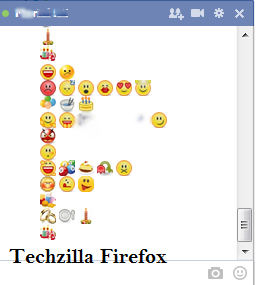
Hi friends, recently I have given the trick to make any Facebook chat codes. I think most of my visitors enjoyed a lot. Also you can use the colored text in your Facebook chat section .  Here I post some new Facebook Chat codes. This would be a complete relief from your old chatting.  :-) .


NOTE: You can create the Facebook Chat Code of any image here


CODES


  1. [[f9.laugh]] 
  2. [[f9.sad]] 
  3. [[f9.angry]] 
  4. [[f9.sleepy]] 
  5. [[f9.shock]] 
  6. [[f9.kiss]] 
  7. [[f9.inlove]] 
  8. [[f9.angel]] 
  9. [[f9.baloons]] 
  10. [[f9.bowl]] 
  11. [[f9.cake]] 
  12. [[f9.callme]] 
  13. [[f9.clap]] 
  14. [[f9.confused]] 
  15. [[f9.curllip]] 
  16. [[f9.devilface]] 
  17. [[f9.lying]] 
  18. [[f9.rofl]] 
  19. [[f9.billiard]] 
  20. [[f9.cakepiece]] 
  21. [[f9.rosedown]] 
  22. [[f9.shutmouth]] 
  23. [[f9.shy]] 
  24. [[f9.silly]] 
  25. [[f9.tongue1]] 
  26. [[f9.fastfood]] 
  27. [[f9.ring]] 
  28. [[f9.plate]] 
  29. [[f9.candle]] 
  30. [[f9.party]]
  31. [[f9.pizza]] 
  32. [[f9.coffee]] 
  33. [[f9.rain]] 
  34. [[f9.bomb]] 
  35. [[f9.sun]] 
  36. [[f9.heart]] 
  37. [[f9.heartbreak]] 
  38. [[f9.doctor]] 
  39. [[f9.ghost]] 
  40. [[f9.brb]] 
  41. [[f9.wine]] 
  42. [[f9.gift]] 
  43. [[f9.adore]]

NOTE: Simply cope and paste the codes into your Facebook chat box.


ENJOY!!!

Get Some Coolest Facebook Chat Codes


Hi friends, here I post some new Facebook chat codes. Copy the codes and paste it in your Facebook Chat Box.  Please remember that some of these code will not work properly under certain circumstance. If not working  kindly CLICK HERE 


MERRY CHRISTMAS


[[339494426156911]] [[339494432823577]] [[339494429490244]] [[339494436156910]] [[339494422823578]] [[339494506156903]]
[[339494502823570]] [[339494512823569]] [[339494516156902]] [[339494509490236]] [[339494592823561]] [[339494582823562]]
[[339494586156895]] [[339494596156894]] [[339494589490228]] [[339494682823552]] [[339494679490219]] [[339494676156886]]
[[339494669490220]] [[339494672823553]] [[339494769490210]] [[339494762823544]] [[339494756156878]] [[339494766156877]]
[[339494759490211]] [[339494842823536]] [[339494852823535]] [[339494846156869]] [[339494839490203]] [[339494849490202]]


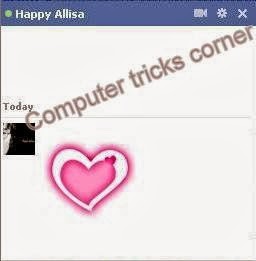
LARGE PINK DOUBLE HEART CODE


[[379320338758329]] [[379320355424994]] [[379320348758328]] [[379320352091661]] [[379320345424995]] [[379320455424984]] 
[[379320448758318]] [[379320452091651]] [[379320445424985]] [[379320442091652]] [[379320525424977]] [[379320518758311]] 
[[379320512091645]] [[379320522091644]] [[379320515424978]] [[379320602091636]] [[379320612091635]] [[379320605424969]] 
[[379320598758303]] [[379320608758302]] [[379320702091626]] [[379320705424959]] [[379320692091627]] [[379320695424960]] 
[[379320698758293]] [[379320778758285]] [[379320775424952]] [[379320788758284]] [[379320785424951]] [[379320782091618]] 
[[379320872091609]] [[379320875424942]] [[379320865424943]] [[379320862091610]] [[379320868758276]] [[379320945424935]] 


MR. BEAN


[[255016264574238]] [[255016271240904]] [[255016277907570]] 
[[255016267907571]] [[255016274574237]] [[255016384574226]] 
[[255016387907559]] [[255016394574225]] [[255016401240891]] 
[[255016391240892]] [[255016464574218]] [[255016454574219]] 
[[255016457907552]] [[255016461240885]] [[255016451240886]] 
[[255016537907544]] [[255016531240878]] [[255016534574211]] 
[[255016541240877]] [[255016527907545]] [[255016634574201]]


JACK SPARROW 


[[298356520217565]] [[298356516884232]] [[298356506884233]] [[298356510217566]] 
[[298356513550899]] [[298356620217555]] [[298356606884223]] [[298356616884222]] 
[[298356610217556]] [[298356613550889]] [[298356673550883]] [[298356676884216]] 
[[298356666884217]] [[298356680217549]] [[298356670217550]] [[298356740217543]] 
[[298356733550877]] [[298356743550876]] [[298356730217544]] [[298356736884210]] 
[[298356823550868]] [[298356810217536]] [[298356820217535]] [[298356826884201]] 
[[298356813550869]] [[298356906884193]] [[298356896884194]] [[298356900217527]] 
[[298356903550860]] [[298356893550861]] [[298356950217522]] [[298356946884189]] 


SUPERMAN 


[[299528860107644]] [[299528863440977]] [[299528866774310]] [[299528856774311]] 
[[299528870107643]] [[299528950107635]] [[299528943440969]] [[299528946774302]] 
[[299528953440968]] [[299528956774301]] [[299529013440962]] [[299529016774295]] 
[[299529010107629]] [[299529003440963]] [[299529006774296]] [[299529060107624]] 
[[299529063440957]] [[299529066774290]] [[299529070107623]] [[299529073440956]] 
[[299529173440946]] [[299529183440945]] [[299529180107612]] [[299529176774279]] 
[[299529186774278]] [[299529243440939]] [[299529236774273]] [[299529240107606]]


ELMO


[[302117289844540]] [[302117283177874]] [[302117276511208]] [[302117279844541]] [[302117286511207]] [[302117366511199]] 
[[302117369844532]] [[302117373177865]] [[302117383177864]] [[302117379844531]] [[302117426511193]] [[302117436511192]] 
[[302117429844526]] [[302117423177860]] [[302117433177859]] [[302117523177850]] [[302117529844516]] [[302117526511183]] 
[[302117536511182]] [[302117533177849]] [[302117606511175]] [[302117596511176]] [[302117599844509]] [[302117593177843]] 
[[302117603177842]] [[302117646511171]] [[302117649844504]] [[302117659844503]] [[302117656511170]] [[302117653177837]] 
[[302117706511165]] [[302117703177832]] [[302117699844499]] [[302117709844498]] [[302117696511166]] [[302117749844494]] 


TROLL FACE


[[242538225822042]] [[242538222488709]] [[242538232488708]] [[242538219155376]] [[242538229155375]] [[242538339155364]] 
[[242538335822031]] [[242538342488697]] [[242538345822030]] [[242538349155363]] [[242538392488692]] [[242538395822025]] 
[[242538399155358]] [[242538402488691]] [[242538405822024]] [[242538475822017]] [[242538472488684]] [[242538489155349]] 
[[242538492488682]] [[242538485822016]] [[242538562488675]] [[242538565822008]] [[242538569155341]] [[242538575822007]] 
[[242538572488674]] [[242538612488670]] [[242538625822002]] [[242538619155336]] [[242538622488669]] [[242538615822003]] 
[[242538675821997]] [[242538682488663]] [[242538672488664]] [[242538679155330]] [[242538685821996]] [[242538742488657]]


MASK


[[255006724575192]] [[255006727908525]] [[255006737908524]] [[255006734575191]] [[255006731241858]] 
[[255006827908515]] [[255006831241848]] [[255006824575182]] [[255006817908516]] [[255006821241849]] 
[[255006874575177]] [[255006871241844]] [[255006884575176]] [[255006877908510]] [[255006881241843]] 
[[255006934575171]] [[255006931241838]] [[255006941241837]] [[255006944575170]] [[255006937908504]] 
[[255007004575164]] [[255007001241831]] [[255006994575165]] [[255006997908498]] [[255006991241832]] 
[[255007084575156]] [[255007101241821]] [[255007077908490]] [[255007091241822]] [[255007081241823]] 

NOTE: If this code is not working use this ANY FACEBOOK CHAT  CODE CREATION 


DO YOU ENJOYED !!!     :-)


How To Create Your Own Facebook Chat Codes


Hi friends, have you ever seen that your friends use some special codes for Facebook chat that are not familiar. Here you will study how to create special codes. The exciting point is that you can create the code of any image . Only you have to do is to go through this post and impress your friends :)


STEPS


* 1. Go to Smileyt ChatCode   


* 2. Browse any image from your Computer. You can create the code of that image.


Facebook Chat Code Creation [Techzilla FireFox]


* 3. Enter the Captcha code if you get


* 4. Click on Upload


* 5. It will generate certain Codes look like            [[339494422823578]] 
                                                                                        [[339494506156903]]


Facebook Chat Code Creation [Techzilla FireFox]


* 6. Open your Facebook Chat box and Paste the code there. 


Facebook Chat Code Creation [Techzilla FireFox]


* 7. Click Enter.


* 8. You Done !!!    :-)


                                              ENJOY !!! 

How to Use Colorful Text / Words / Alphabets In Facebook Chat


Hi friends, here I give you a complete relief from Black-Text Facebook Chat. Facebook allow us to chat only in black colored font, but we can get another style. It is simple just go through the post. 


In the chat box you can see "HI", which is far better than your ordinary chat box :) . Only you have to do is to simply copy and paste certain codes for A-Z into your chat box.

Colored Facebook chat


NOTE: Remember this code work only in Facebook Chat and Private Box.

CODES


[[107015582669715]]  = A
[[116067591741123]]  = B
[[115602405121532]]  = C
[[112542438763744]]  = D
[[115430438474268]]  = E
[[109225112442557]]  = F
[[111532845537326]]  = G
[[111356865552629]]  = H
[[109294689102123]]  = I
[[126362660720793]]  = J
[[116651741681944]]  = K
[[115807951764667]]  = L
[[106596672714242]]  = M
[[108634132504932]]  = N
[[116564658357124]]  = O
[[111669128857397]]  = P
[[107061805996548]]  = Q
[[106699962703083]]  = R
[[115927268419031]]  = S
[[112669162092780]]  = T
[[108983579135532]]  = U
[[107023745999320]]  = V
[[106678406038354]]  = W
[[116740548336581]]  = X
[[112416755444217]]  = Y
[[165724910215]]        = Z


For example in the  above image we crated Pink coloured "HI", the trick is below.

                           H                                         I

       [[111356865552629]]      [[109294689102123]]


You can create any word: 

colored Facebook chat [Techzilla Firefox]


JIKKU       :                             [[126362660720793]]  = J
                                                [[109294689102123]]  = I
                                                [[116651741681944]]  = K
                [[116651741681944]]  = K
                [[108983579135532]]  = U

 
THANKACHAN  :                  [[112669162092780]]  = T
                                                [[111356865552629]]  = H
                [[107015582669715]]  = A
                [[108634132504932]]  = N
                                                [[116651741681944]]  = K
                [[107015582669715]]  = A
                [115602405121532]]   = C
                [[111356865552629]]  = H
                [[107015582669715]]  = A
                [[108634132504932]]  = N


NOTE: Use space between each character 
  • HI=  [[111356865552629]][[109294689102123]] There is no space between codes corespondings to H and I so this is wrong method.
  • HI=  [[111356865552629]] [[109294689102123]] There is space between codes for H and I so it   is correct.
  • This will not work while using Facebook in mobile

                           
                              Click here to know how to get Real Facebook likes for Free


How to Find Who Unfriend You In Facebook


Hi friends, my this post is to find who Unfriend you in Facebook. We know that Facebook is a world popular social site, having 100cr active users. They provide different experiences like gathering new friends, sharing our contents, sharing our photos, live video chat and so on. But the disappointing factor is that they are not providing details of the friends who unfriend us. Here you can get the extension for both Chrome and Mozilla to get the solution. It is simple and you get an additional icon in your Facebook profile showing the notification of your leaved friends. So carefully go through the post and get Informed. 


Download Unfriend Alert Extension For Chrome Click Here

Download Unfriend Alert Extension For Mozilla  Click Here


*1. First download the extension for your browser.


*2. Install the extension.


*3. Restart the browser.


*4. Log In to your Facebook.


*5. Now you will get a confirmation alert box asking to you that allow them to fetch your friend list and public post. Click "OKEY".


*6. You get a message, close it.


*7. Now an additional icon showing the Unfriend's Notification will appear in your profile. 


*8. Click it to find the friends that made you unfriend.


*9. You are Done.


Thank You